advertising

Contact-level and signal-based ads to reach the right buyers at the right moment

Sync contact-level audiences to LinkedIn, Meta, Google, Bing, and DSP. Target the same buyers your sales team is already working with.

Match rates across platforms

LinkedIn logo consisting of lowercase 'in' letters in light gray on a dark gray rounded square with a light gray border.
Linkedin

70-95%

match rate
Industry avg: 20–40%
Lowercase letter 'f' icon symbolizing the Facebook social media platform in light gray on a dark gray rounded square.
Meta

45-70%

match rate
Industry avg: 20-30%
Capital letter G in a rounded square icon.
Google

40-85%

match rate
Industry avg: <10%
how it works

From signal to ad impressions

No CSV exports. No manual uploads.
UserGems connects your buying signals directly to your ad platforms.
step 1
White abstract icon of two simplified human figures representing users or a group.

Build & segment

Start with UserGems' contact-level audiences. Filter by buying signals, company score, buying stages, persona, or any CRM field.
step 2
White radar signal icon with three concentric quarter circles and a filled quarter circle at the origin.

Sync to ad platforms

Sync audiences to LinkedIn, Meta, Google, Bing, DSP (via AdRoll). Contacts are automatically added or removed, so your targeting stays current.
step 3
White geometric rocket icon with angled fins and a small window, positioned diagonally as if launching.

Report

Report on the lift that advertising has on pipeline and revenue. UserGems machine learning constantly measures and shows how ads influence the pipeline.
core features

What you can do with signal-driven advertising

Contact-Level Audiences

Reach real people, not anonymous accounts

Build ad audiences from verified contacts — real names, titles, and companies. Every ad dollar goes toward known and relevant buyers.
‍

  • Built from UserGem's verified contact data
  • Filter by persona, seniority, department, and more
  • No wasted spend on unqualified impressions
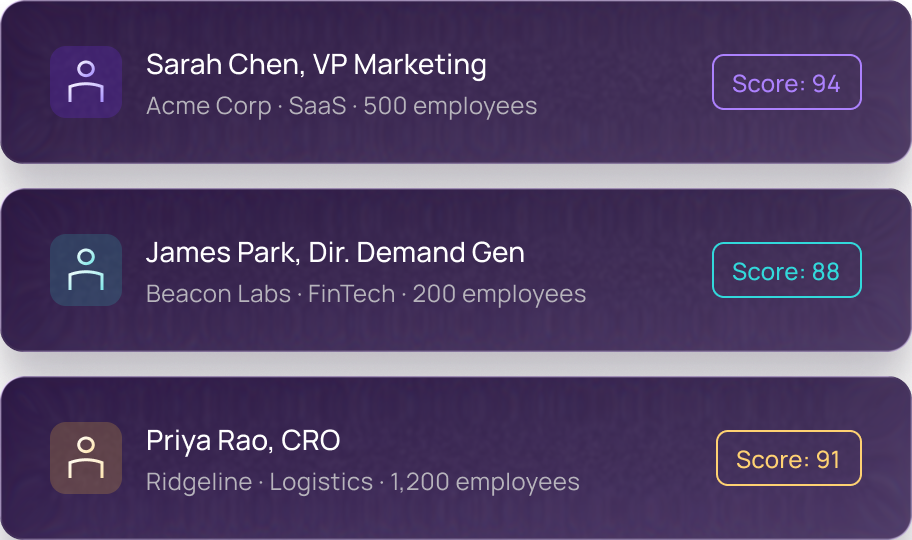
Three user profile cards for marketing and demand generation professionals: Sarah Chen, VP Marketing at Acme Corp, SaaS, 500 employees, score 94; James Park, Director of Demand Generation at Beacon Labs, FinTech, 200 employees, score 88; Priya Rao, CRO at Ridgeline, Logistics, 1,200 employees, score 91.
2,802 contacts in audience · Refreshed daily
Signal-Based Segmentation

Segment audiences by buying signal

Don't show the same ad to every contact. Segment your audiences by the specific signal that qualified them — so your ads are relevant to where each buyer actually is.
‍

  • Job change → "Welcome to your new role" ad
  • Intent spike → "Solving [topic]?" ad
  • High company score → "See how peers use UserGems" ad
  • Open opportunity → Multi-thread buying group with ads
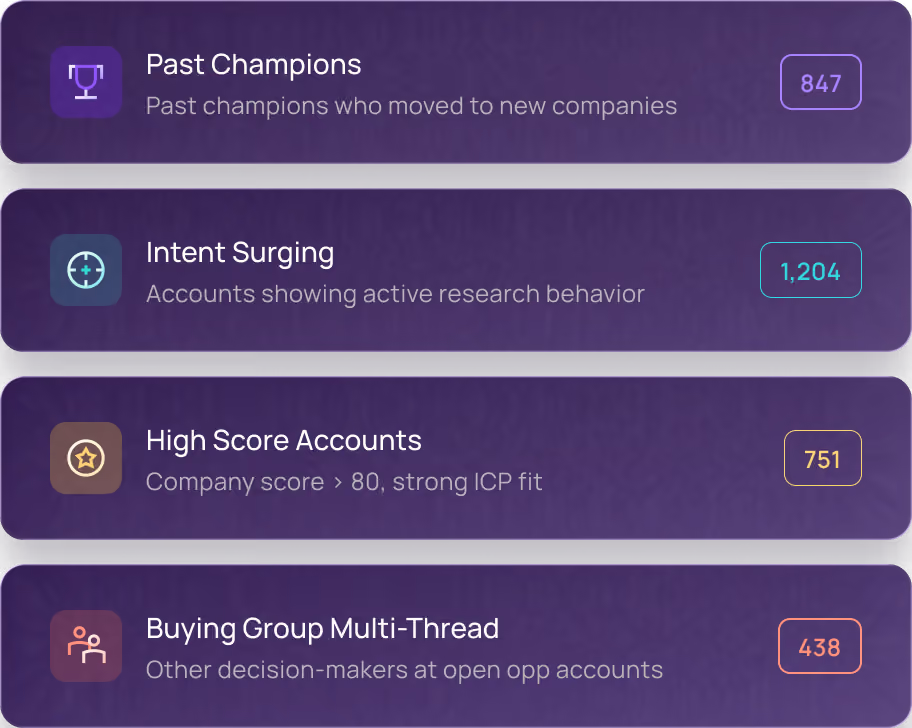
Four horizontally stacked purple gradient cards with rounded corners, each containing an icon, title, description, and a colored box with numbers: Past Champions with a trophy icon and number 847; Intent Surging with a target icon and number 1,204; High Score Accounts with a star icon and number 751; Buying Group Multi-Thread with a group icon and number 438.
Past Champions
Intent
Buying Group
Score > 80
Multi-channel sync

One audience, every ad platform

Push your audiences dynamically to LinkedIn, Meta, Google, Bing, AdRoll DSP from one place. Audiences sync automatically — no CSV exports, no manual uploads, no reconciliation across platforms.
‍

  • Choose your sync frequency
  • Contacts added and removed as signals change
  • 3-5X higher match rates than industry average
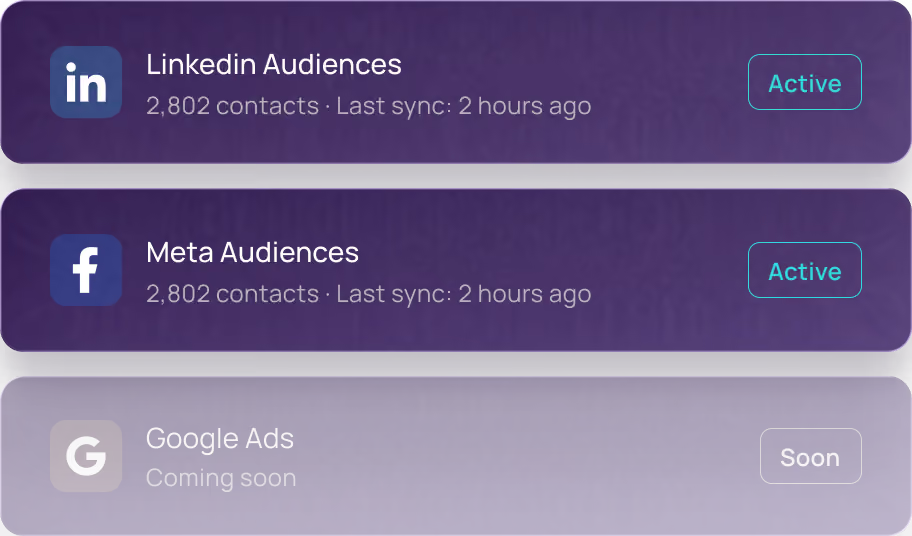
Audience Destinations
Three audience cards for LinkedIn, Meta, and Google Ads platforms. LinkedIn and Meta show 2,802 contacts with last sync 2 hours ago and have an Active status badge. Google Ads is labeled Coming soon with a Soon badge.
REPORTING

See the impacts of your ads

Track the contacts and accounts you pushed, plus impressions, clicks, website visits. Then compare accounts that saw your ads with those that didn't, so you can see the real lift in buying stage progression and new opportunities.

‍

Need a view the dashboard doesn't have? Ask the UserGems MCP in your Claude or Chat GPT.
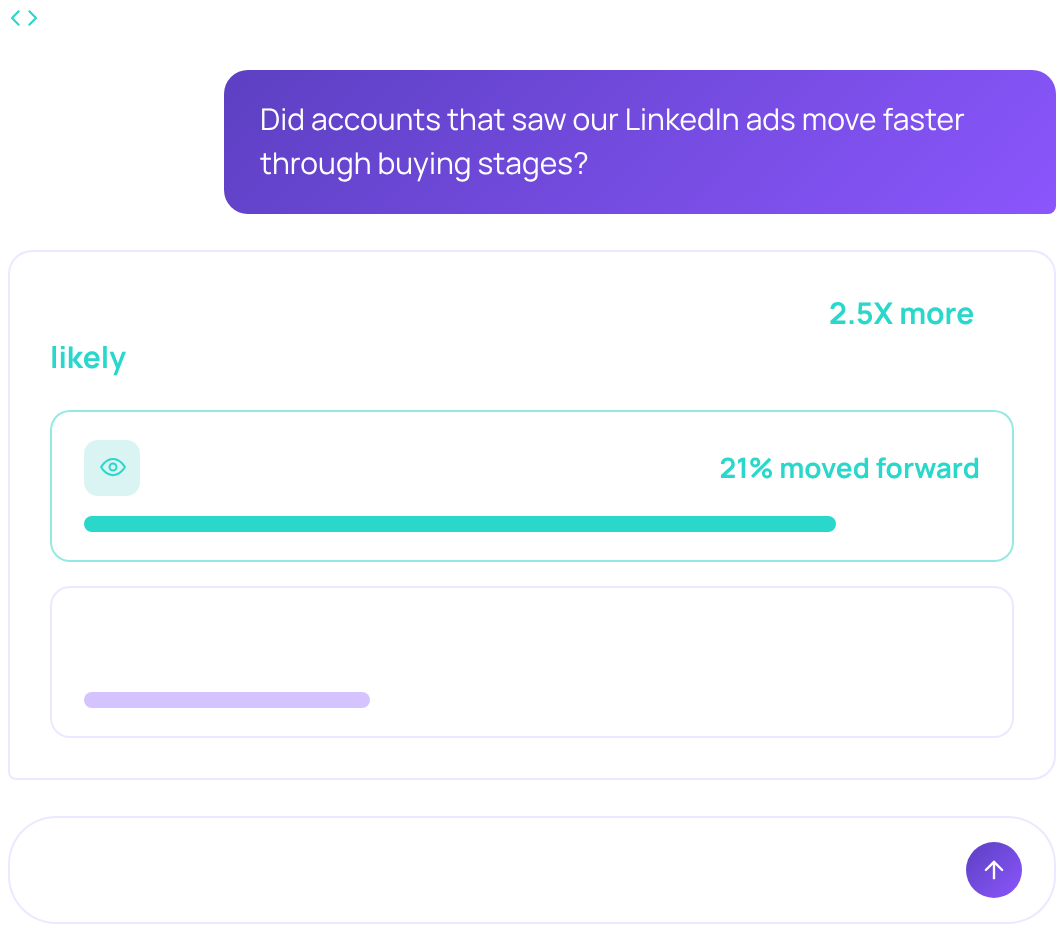
UserGems ad lift report
account-based gtm

This is what effective ABM looks like
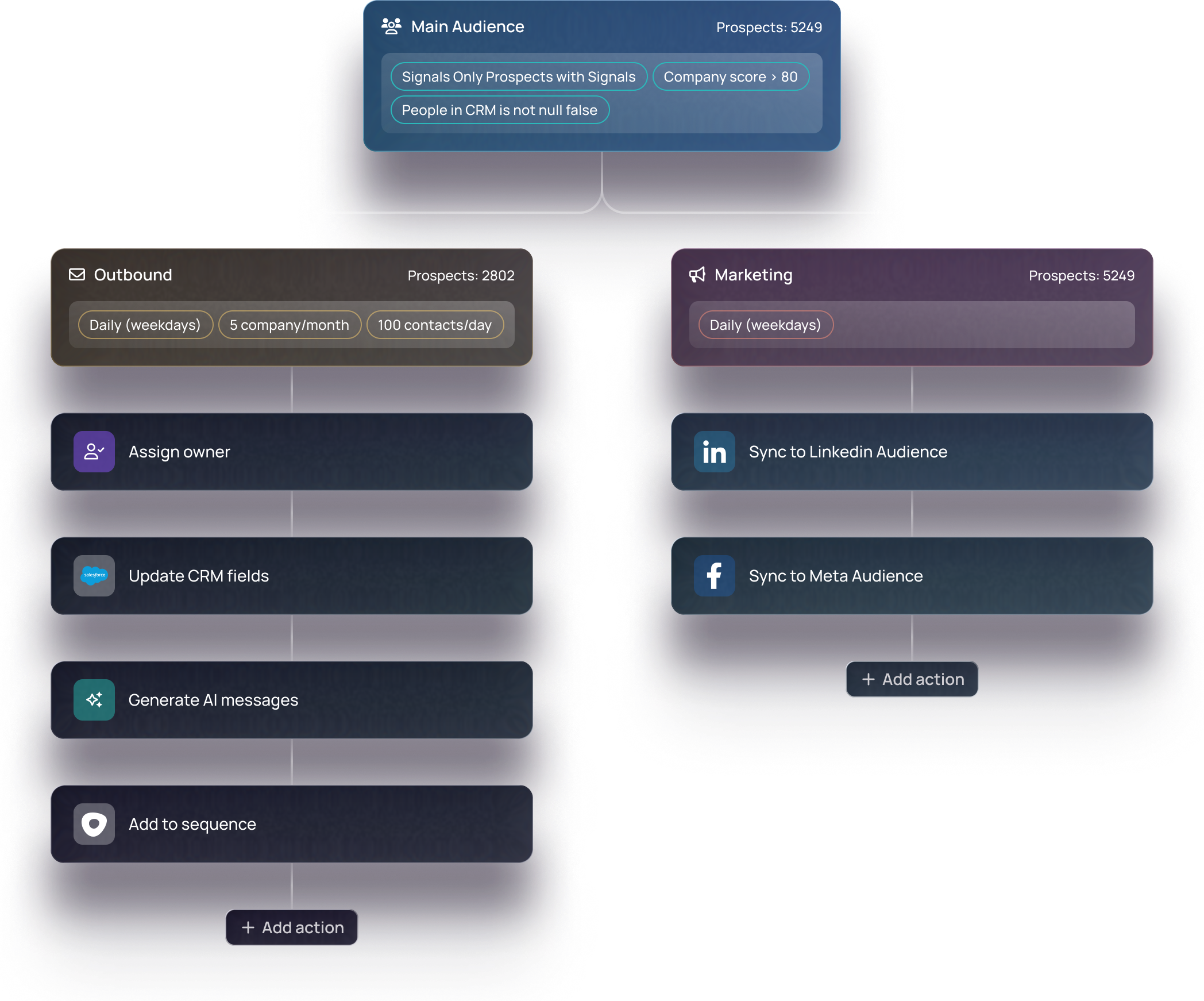
UserGems makes account-based go-to-market real. Sales and marketing go after the same buyers, at the same time, as one team.
UserGems workflow diagram with Main Audience including filters for signals, company score above 80, and valid CRM people, splitting into Outbound and Marketing branches; Outbound includes actions: assign owner, update CRM fields, generate AI messages, and add to sequence for 2802 prospects; Marketing includes daily actions syncing to LinkedIn and Meta audiences for 5249 prospects.

Your questions, answered.

What's the difference between contact-level ads and account-based ads?

Traditional targeting uses a list of accounts and relies on persona and seniority filters in ad platforms to help you narrow the targeting. But this fuzzy matching approach is not precise and wastes your ad spend.

With UserGems, your ad audiences are contact-level and you can segment based on signals, buying stages, demographics, and more. You control and know exactly who's in which campaign. This is how you can reduce and optimize your spend.

How do you get higher match rates?

UserGems processes, enriches, and verifies data to ensure accuracy and match rates. For Google and Meta, we also enrich the contacts with personal email addresses.

Is there a minimum audience size?

Yes. Google and Meta audiences require at least 100 contacts. LinkedIn requires at least 300 matched members.

Does UserGems also handle budget and bidding for the ad campaigns?

No. At the moment, UserGems only creates and syncs audiences to the ad platforms (LinkedIn, Meta, Google, Bing) and AdRoll. You still need to set up campaigns, budget, and bidding in your own ad platforms or DSP.

Does UserGems replace 6sense or Demandbase ads?

If you're using 6sense or Demandbase to create audiences and segments for your ads, then UserGems can replace them.

If you're actively running ads - especially display ads - in 6sense and Demandbase, then you can use UserGems audiences with their DSP.

How is 'ad influence' calculated?

UserGems captures impressions, clicks, website visits, buying stage changes, and pipeline, then compares the lift between accounts that saw ads and those that didn't.

For example: Accounts that saw an ad are X times more likely to move forward in the Buying Stages and influence new Opportunities than those that didn't.