Article overview
- A power dialer automates outbound calling so reps stop copying, pasting, and dialing numbers by hand.
- The right choice depends on three things: your CRM, the type of dialer you need, and your budget.
- Real starting costs range from $45 per month for one user with Allo to $350 per month for five with Aloware, once seat minimums are included.
Introduction
You've set up the best lead generation pipeline possible. Signals, a research agent, enrichment. It all runs on autopilot.
But your team still spends their days copying phone numbers, pasting them into a softphone, and calling prospects one by one. Every manual dial is a few seconds of friction. Multiply that across a day, and your reps lose hours to admin instead of conversations.
That's exactly where a power dialer helps.
A power dialer automates the mechanical part of outbound calling. Your reps talk more and type less. It contributes to accelerating your sales.
In this guide, we explain what a power dialer is, how to pick the right one for your team, and share our favorites.
What is a power dialer?
A power dialer is software that automatically dials phone numbers from a list, one after another. The rep doesn't touch the keypad. As soon as one call ends, the system dials the next contact.
The goal is simple. A power dialer removes the dead time between calls. Reps skip the manual dialing, the misdials, and the wait for voicemail beeps.
Most power dialer software also logs each call into your CRM automatically. Call recordings, notes, and outcomes sync back without any copy-paste.
Modern tools add AI on top: transcription, summaries, and next-step suggestions.
A power dialer is usually part of a broader cloud phone system. That means it's hosted in the browser, needs no hardware, and works wherever your reps are.
What are the different types of power dialers?
"Power dialer" is often used as a catch-all term. In practice, there are several types, and each one fits a different calling style:
- Single-line power dialer. This is the classic power dialer. It dials one contact at a time, automatically, right after the previous call ends. The rep is always live for the conversation, so there's no awkward pause when the prospect picks up. This type works best for teams that value connection quality over raw volume. It’s also the most ethical kind of power dialer. Allo, Aircall, Aloware and Dialpad use this approach.
- Parallel (multi-line) dialer. A parallel dialer calls several numbers at the same time. When someone answers, it connects them to an available rep and drops the other lines. This type works best for high-volume prospecting into cold lists, where pickup rates are low. CloudTalk, JustCall, and CallHippo offer parallel dialing.
- Predictive dialer. A predictive dialer uses algorithms to dial ahead of agent availability. It predicts when a rep will be free and paces the calls to match. This type works best for large call centers with many agents dialing constantly. JustCall and dedicated contact-center platforms like Five9 (not covered in this article) offer predictive dialing.
- Preview dialer. A preview dialer shows the rep the contact's details before the call starts. The rep gets a moment to read the record, then triggers the dial. This type works best for complex or high-value sales, where preparation matters more than speed. Most power dialers include a contact preview.
- AI power dialer. An AI power dialer layers artificial intelligence onto any of the above. It transcribes calls, writes summaries, scores conversations, and sometimes runs an AI voice agent for the first touch. Allo, Dialpad, and Aloware lead here.
A quick note on volume and compliance. Parallel and predictive dialers create the highest call volume, but they also carry more regulatory risk because of dropped or abandoned calls. We cover the legal side in the FAQ.
Once you know which type you need, choosing a specific tool gets much easier.
How to pick the right power dialer
Three questions narrow the field fast:
- Start with your CRM. A power dialer that doesn't sync with your CRM will cost you the time it was supposed to save. Check for a native integration first, not just a Zapier connection. If you run HubSpot, look specifically for a HubSpot power dialer that pushes call recordings and transcripts back into the contact record. If you run Salesforce, confirm the dialer supports it. Some tools only power-dial from one CRM.
- Evaluate which kind of dialer you need. Match the dialer type to your motion. A small team calling warm, qualified leads is best served by a single-line power dialer. A team burning through large cold lists benefits from a parallel dialer. A large call center with constant dialing may need a predictive dialer. Don't pay for parallel dialing you won't use.
- Match it with your budget. Costs vary greatly, and two numbers matter. The first is the per-seat price of the plan that includes the power dialer, which runs from $45 to $110 per user per month in the tools below. The second is the seat minimum, which some vendors set at 3 to 10 licenses. Together they set your real starting cost. Annual billing usually saves 25 to 30 percent.
With those three filters in mind, here are our six picks, ordered by real starting cost.
Allo: best for small sales teams that want an affordable, AI-first dialer
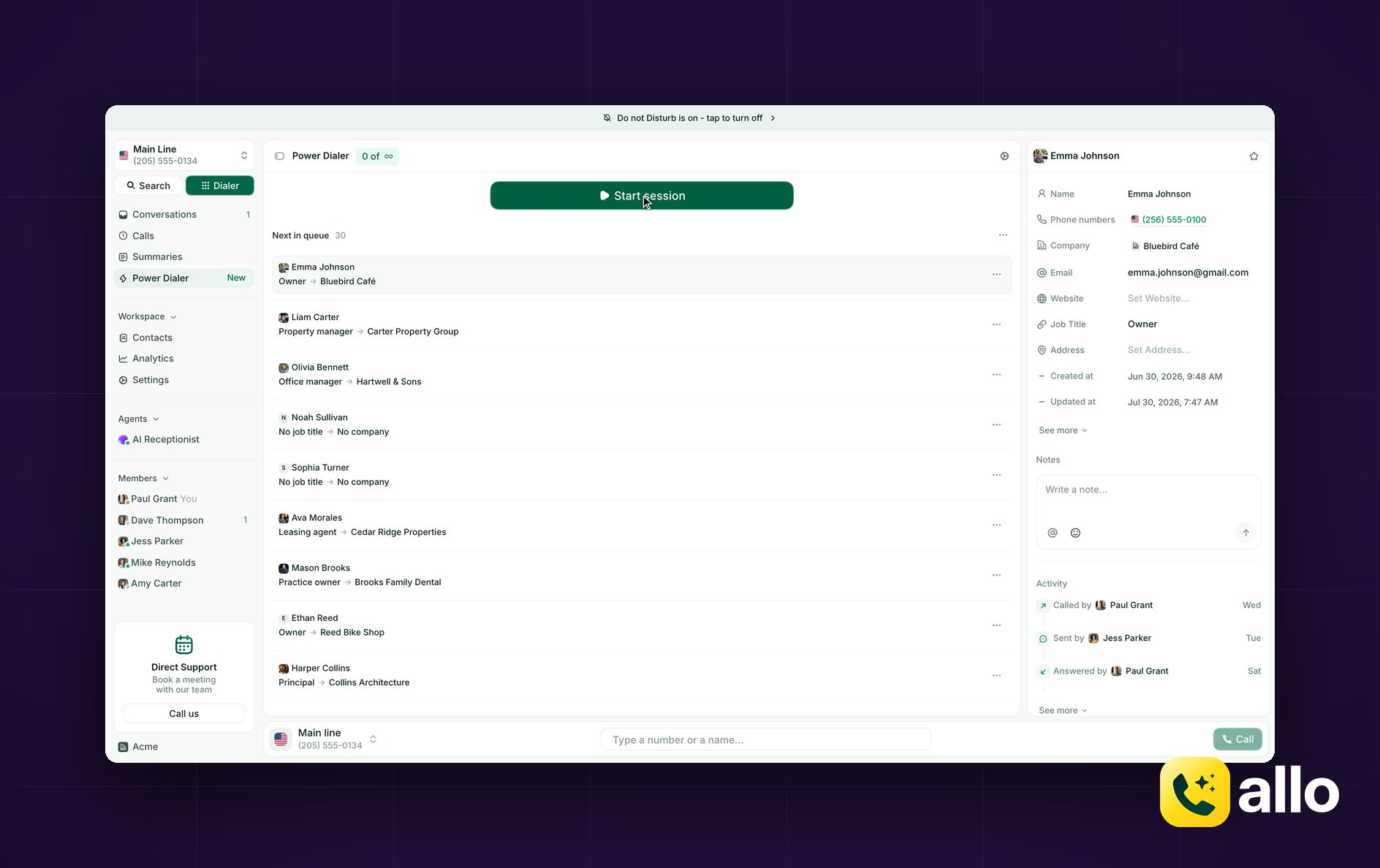
Allo overview
Allo is an AI and mobile-first phone system built for small teams, SMBs, and salespeople.
The product is designed around two ideas: AI included by default and the tool is agent-friendly, and pricing that stays simple. Every plan ships with AI features, and there are no per-feature add-ons. Allo holds a 4.7/5 on G2 across 200+ reviews.
Allo's power dialer
Allo includes a single-line power dialer. It dials your list one contact at a time, so the rep is always live when a prospect answers. There's no parallel dialer, and that's intentional. Allo optimizes for conversation quality, not raw volume.
You can build your dialing queue in several ways. Import from a CRM, a CSV, or an API. You can even populate the queue through an LLM, thanks to Allo's MCP integration with tools like Claude and Codex. Reps can pause a dialing session at any time.
The surrounding sales features are where Allo stands out for its price:
- Native CRM integrations sync call recordings, transcriptions, and contact updates automatically. The HubSpot integration is rated 5/5 on the HubSpot marketplace and 4.5/5 on the Pipedrive equivalent.
- Allo also includes call transcription and summaries, AI call tags, custom summary templates, an AI assistant that answers questions from your call history.
- An AI receptionist handles inbound calls in French, Spanish, or English. It remembers the previous discussions your prospects had with you and can even book appointments in your calendar.
Allo pricing
The power dialer is included in the Business plan which costs $45 per user per month ($32 billed yearly). The plan includes all integrations, a collaborative inbox, custom AI summary templates, AI call tags, the Allo MCP, and analytics.
Unlike some other solutions included below, it has no seat minimum.
There's a 7-day free trial and you can cancel anytime from the app.
Who Allo works best for
We're convinced Allo works best for small sales teams that use HubSpot, Salesforce, Pipedrive, or Attio and want deep, two-way CRM sync without paying enterprise prices. It fits teams that want AI included rather than sold as an add-on, and that value connection quality over dialing many leads at once. Teams that need parallel dialing or complex enterprise call flows should look further down this list.
Allo keeps AI affordable for small teams. Dialpad also includes AI in every plan, but it targets Salesforce users and carries the highest per-seat price here.
Dialpad: best for Salesforce teams that want the strongest built-in AI
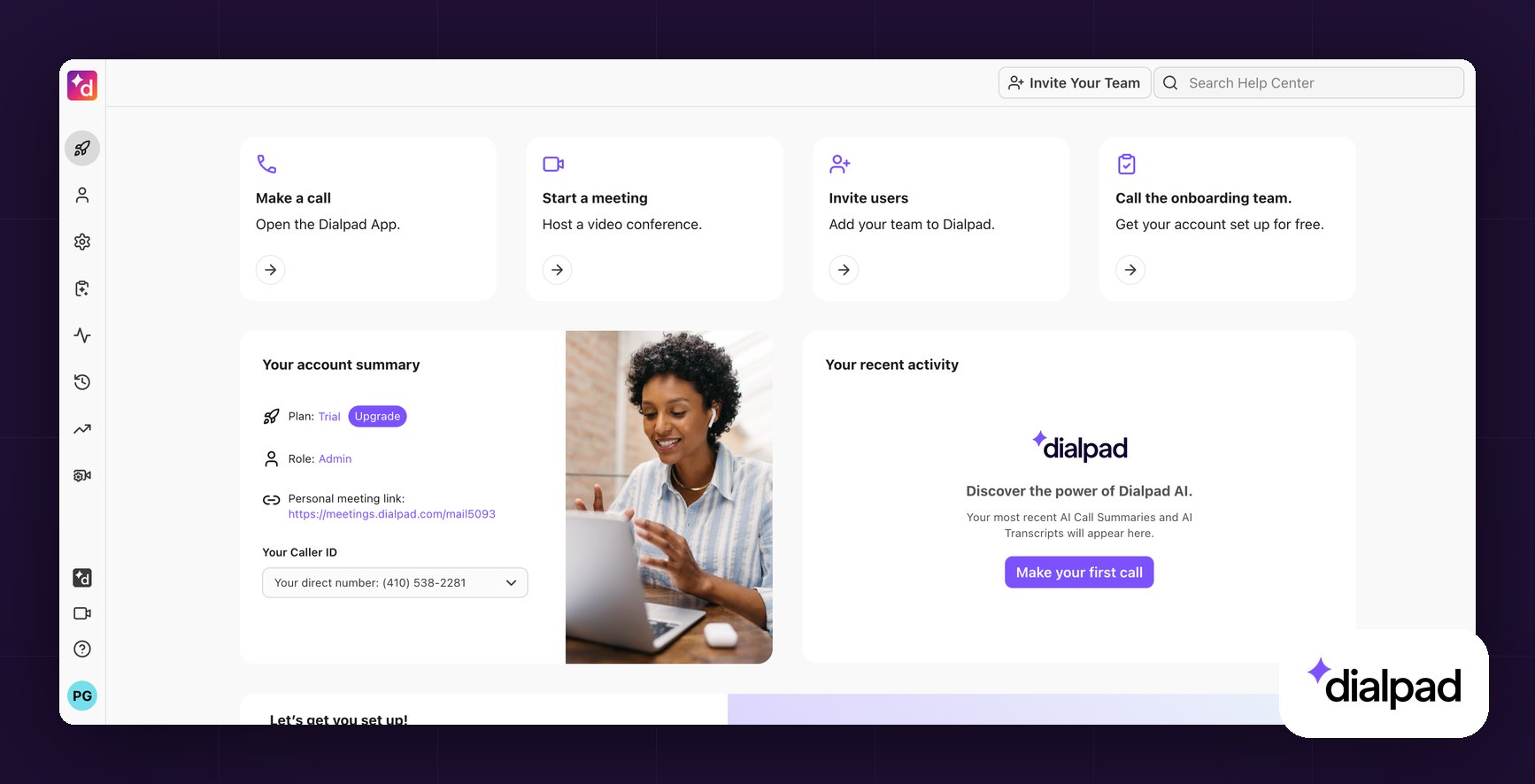
Dialpad overview
Dialpad was founded in 2011 and serves SMBs through mid-market companies and runs its own AI model, developed in-house since 2018. It maintains separate products for general use (Connect), support, and sales (Sell). Dialpad holds a 4.4/5 on G2 across more than 4,000 reviews.
Dialpad's power dialer
Dialpad's power dialer lives inside Dialpad Sell. It imports contacts via CSV, API, or Salesforce, and Salesforce is the only supported CRM for the dialer. That's an important limitation if you run HubSpot or Pipedrive.
The dialer itself is strong. Voicemail drop, real-time call monitoring with live sentiment and transcripts, and detailed calling rules (time zones, attempt limits, Do Not Contact) are all built in.
Dialpad's AI is the differentiator, with live coaching, call scoring, and AI Playbooks that track rep adherence to methodologies like BANT or SPIN. There's no parallel dialer.
Dialpad pricing
Dialpad Sell is priced separately from Dialpad Connect. The power dialer is included in two plans:
- Advanced: $110 per user per month ($95 yearly). Adds local presence, voicemail drop, the Salesforce power dialer, and AI Live Coach.
- Premium: $170 per user per month ($150 yearly). Adds AI Scorecards, AI Playbooks, and ACD.
There's a 14-day free trial and no minimum seat count.
Who Dialpad works best for
Dialpad works best for Salesforce-based sales teams that want the deepest built-in AI coaching and can justify a premium per-seat price. The AI is genuinely best in class and included by default. But the power dialer only works with Salesforce, there's no parallel dialing, and at $110 per user per month it's the most expensive option here on a per-seat basis. Teams on other CRMs should pick a different tool.
Dialpad's dialer only works with Salesforce and stays single-line. JustCall supports more CRMs and adds parallel and predictive dialing.
JustCall: best for teams that need parallel and predictive dialing
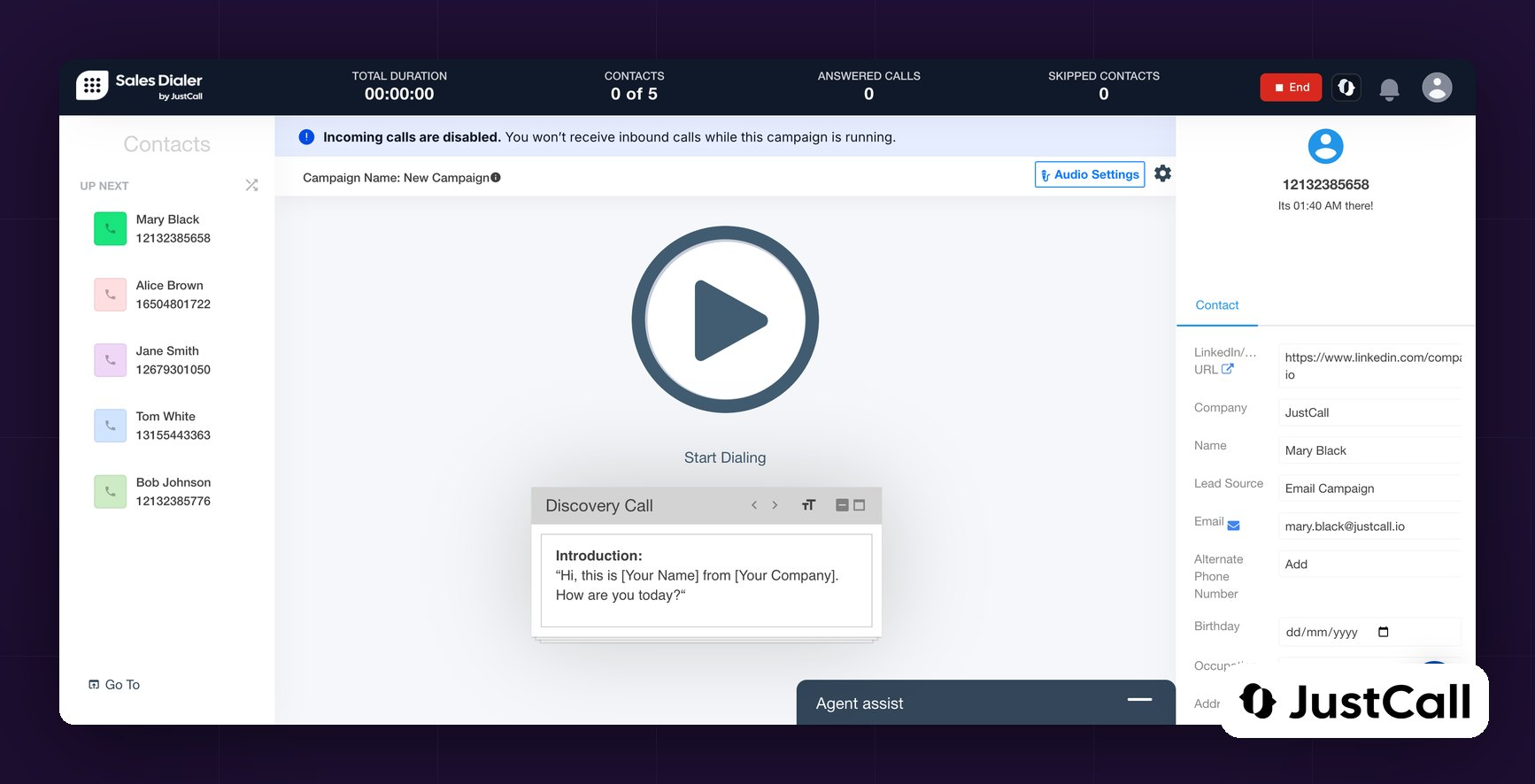
JustCall overview
JustCall is a phone system aimed at sales and support teams. It works in 70+ countries and integrates widely with CRMs. It carries a 4.3/5 on G2 across more than 2,300 reviews and a 3.8/5 on Trustpilot.

JustCall's power dialer
JustCall offers the widest range of dialer types on this list. It includes a power dialer, a parallel dialer with up to 10 simultaneous calls, and a predictive dialer that dials multiple numbers and connects reps only when a human answers.
The feature set is built for serious outbound. It covers voicemail drop, local presence, territory controls with per-region calling windows, DNC (Do Not Contact) compliance, and live call monitoring. An outbound AI voice agent can qualify leads before a rep picks up.
JustCall integrates natively with HubSpot, Salesforce, Pipedrive, Attio, Salesloft, and more. It scores 4/5 on both the HubSpot and Pipedrive marketplaces.
JustCall pricing
The power dialer is included in two plans:
- Pro: $69 per user per month ($49 yearly), minimum 2 licenses. Includes the power dialer, bulk SMS, and Salesforce integration.
- Pro Plus: $109 per user per month ($89 yearly). Adds real-time agent assist, sentiment analysis, and call scoring.
Real starting cost: $138 per month on monthly billing (2 seats at $69), or $98 per month billed yearly (2 seats at $49), which is $1,176 per year.
Note that most AI features sit behind add-ons: "AI Review Assist" at $9 per user per month, and the AI Voice Agent at $99 per month for 100 minutes. There's a 14-day free trial.
Who JustCall works best for
JustCall works best for outbound teams that want power, parallel, and predictive dialing under one roof, plus strong compliance controls. It's a natural fit for higher-volume prospecting where pickup rates are low. Keep in mind that the AI layer is priced separately, so the real monthly cost climbs once you add transcription and coaching.
JustCall packs several dialer types into one plan. CloudTalk takes a narrower focus: international reach with local presence built in.
CloudTalk: best for international outbound teams
CloudTalk overview
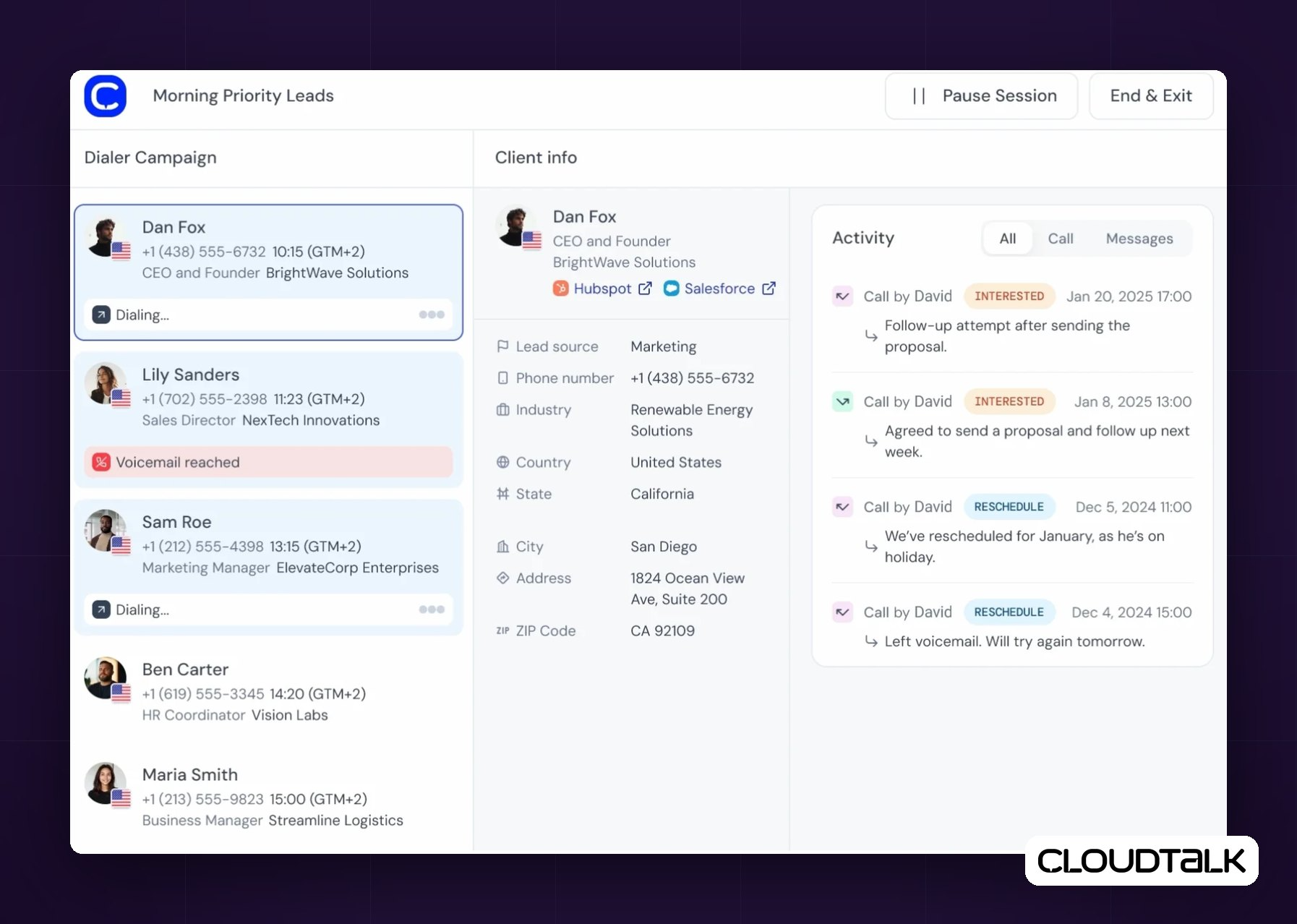
CloudTalk is a cloud phone system that serves sales and support teams, including call centers, and boasts 4,000 customers across 100 countries. Its standout strength is international reach: local numbers in 160+ countries. It holds a 4.4/5 on G2 across roughly 1,850 reviews.
CloudTalk's power dialer
CloudTalk offers a full-featured power dialer plus an optional parallel dialer. The power dialer imports contacts from a CSV or CRM, lets agents fill in surveys during calls, and includes voicemail drop and call scripts. A local presence feature automatically picks a caller ID in the prospect's area code to boost pickup rates.
For higher volume, CloudTalk sells a parallel dialer as an add-on. It calls up to 10 lines at once, but it costs an extra $39 per user per month and is billed annually only.
CloudTalk pricing
The power dialer sits on the Expert plan ($69 per user per month, $49 yearly), which requires 3 licenses. Real starting cost: $207 per month on monthly billing (3 seats at $69), or $147 per month billed yearly (3 seats at $49), which is $1,764 per year. The parallel dialer is an add-on on top of Expert.
There's a 14-day free trial, no credit card required.
Who CloudTalk works best for
CloudTalk works best for outbound teams that call across many countries and want local presence built in. The 160+ country coverage and automatic local caller ID are hard to match.
Just budget for the parallel dialer add-on if you need multi-line dialing, and note the 3-seat minimum on the plan that includes the power dialer.
CloudTalk sells parallel dialing as an add-on. Aircall keeps outbound lighter and leans instead on its brand and its integration catalog.
Aircall: best for teams that want a proven brand with deep CRM integrations
Aircall overview
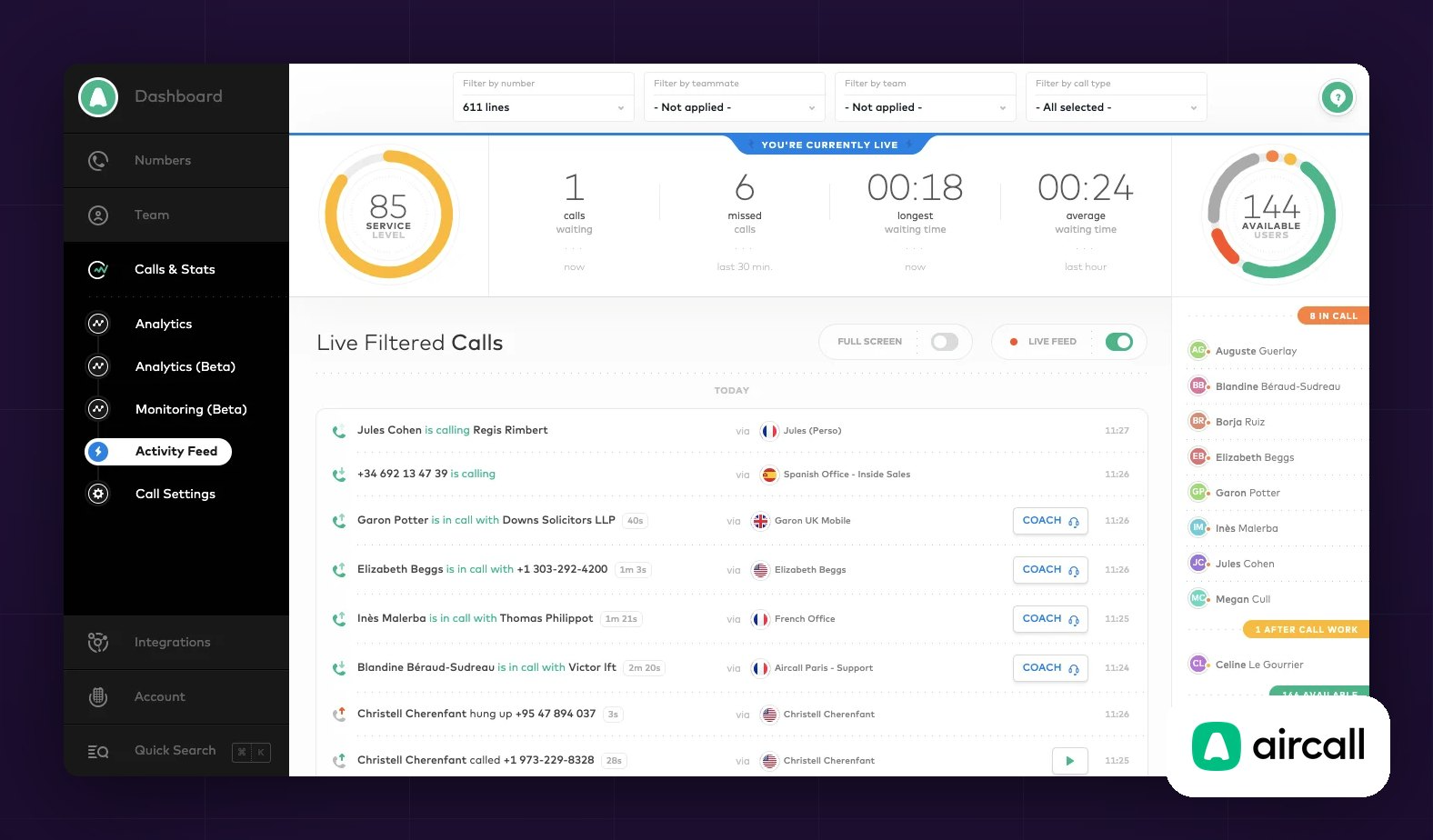
Aircall targets medium-sized and large companies, and it's one of the most recognized names in the category. It holds a 4.4/5 on G2 across roughly 1,600 reviews.
Aircall's power dialer
Aircall includes a single-line power dialer aimed at teams that cold-call responsibly. It's intentionally simpler than a dedicated outbound tool. There's no parallel dialer, which Aircall has stated is a deliberate choice, and no local presence option.
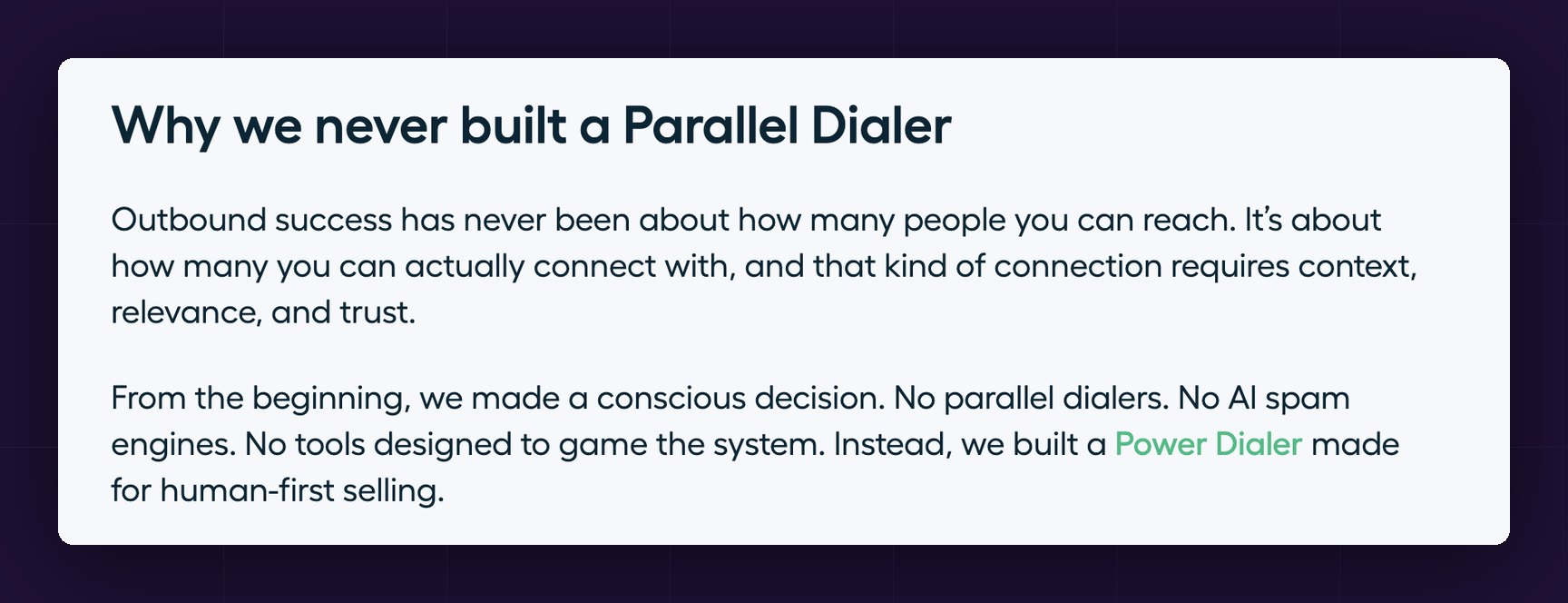
What it does well is the workflow around the call. Voicemail drop lets reps leave a pre-recorded message with one click. The dialer also pulls CRM context before each call. Aircall's real strength is its integration ecosystem, with deep native connections to HubSpot, Salesforce, Pipedrive, Zoho, Intercom, and more.
Aircall pricing
The power dialer is included in the Professional plan: $70 per user per month ($50 yearly). Includes voicemail drop, and advanced analytics. 3 licenses minimum.
Real starting cost: $210 per month on monthly billing (3 seats at $70), or $150 per month billed yearly (3 seats at $50), which is $1,800 per year. AI features are an add-on (AI Assist from $9 per user per month). There's a 7-day free trial.
Who Aircall works best for
Aircall works best for teams that want a trusted, plug-and-play brand with a very large integration catalog, and whose outbound motion is light rather than high-volume. Smaller teams should note the 3-seat minimum and that support skews toward larger accounts.
Aircall keeps things simple. Aloware goes the other way, toward contact-center scale and volume.
Aloware: best for contact centers and high-volume calling plus SMS
Aloware overview
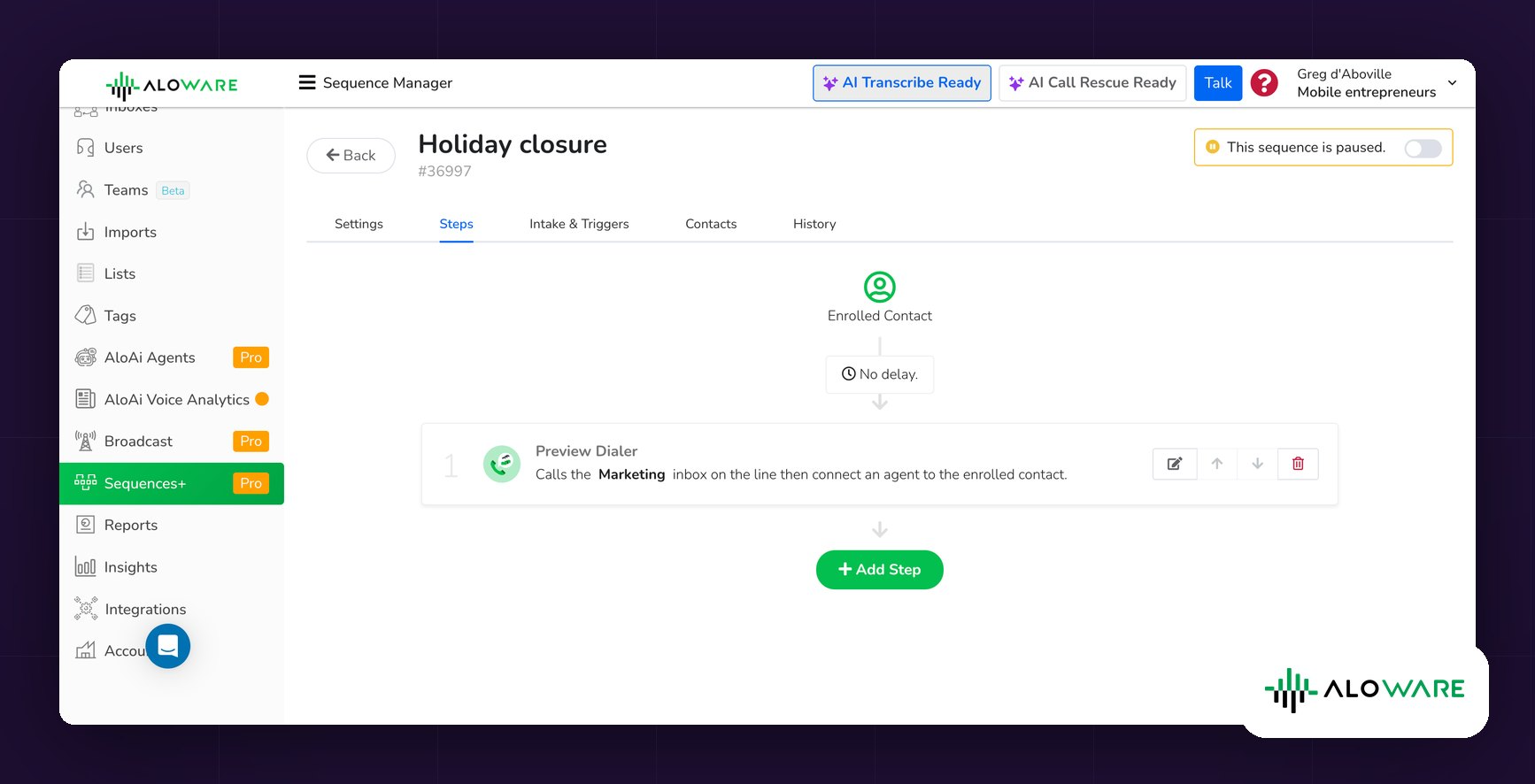
Aloware began in 2018 as a call-tracking tool, pivoted into a modern dialer, and grew into a full contact center built for remote teams. It targets sales and support teams and contact centers. It's a smaller, more niche player than the big UCaaS names, with a 4.1/5 on G2 across more than 800 reviews.
Aloware's power dialer
Aloware is built around high-volume outbound for support teams. Its AI-powered dialer lets a single agent handle multiple calls, and the platform layers in automation, texting, and CRM syncing. Reps can "park" calls while they look up information, and support-style inbox tabs (open, pending, closed) help teams track conversations.
The AI features, including transcriptions, summaries, sentiment analysis, and talk-to-listen ratios, are included in all plans, with more advanced coaching and monitoring on the top tier. HubSpot integration is a particular strength, including workflow and list sync.
Aloware pricing
The power dialer is available in two plans:
- uPro + AI: $70 per user per month ($60 annually), minimum 5 users. Adds the AI-powered dialer, HubSpot workflow integration, call coaching, and full API access.
- xPro + AI: $100 per user per month ($85 annually), minimum 5 users. Adds Salesforce integration and unlimited AI voice analytics.
Real starting cost: $350 per month (5 seats at $70).
There's a 7-day free trial, no credit card required. Cancellation runs through an online form 30 days before renewal.
Who Aloware works best for
Aloware works best for growing contact centers and high-volume sales teams on HubSpot that combine heavy calling with texting automation. The AI-powered dialer and included AI analytics suit teams making hundreds of touches a day. The seat minimums of 5 to 10 users make it a poor fit for very small teams.
Conclusion
The best power dialer is the one that matches your CRM, your dialing style, and your budget.
There's no single winner for every team.
- For small, AI-first sales teams that want deep CRM sync at a fair price, Allo is our top pick, with a real starting cost of $45 per month for one user.
- For Salesforce teams that want the strongest built-in AI, choose Dialpad, from $110 per month for one user.
- For teams that need power, parallel, and predictive dialing in one tool, choose JustCall, from $138 per month for two seats.
- For international outbound with local presence built in, choose CloudTalk, from $207 per month for three seats.
- For a proven brand with a huge integration catalog and a light outbound motion, choose Aircall, from $210 per month for three seats.
- For high-volume contact centers that combine calling and texting on HubSpot, choose Aloware, from $350 per month for five seats.
Start with your CRM, confirm the dialer type you actually need, and use the free trials before you commit.
FAQ
What is a power dialer?
A power dialer is software that automatically dials phone numbers from a list, one after another, so reps don't dial manually. As soon as one call ends, it dials the next contact. Most power dialers also log calls to your CRM and add AI features like transcription and summaries. It's usually part of a cloud (hosted) phone system, so it needs no hardware.
Why use a power dialer?
A power dialer removes the dead time between calls. Reps stop copying, pasting, and misdialing numbers, so they spend more time talking to prospects. It also standardizes follow-up, because calls, recordings, and notes sync to the CRM automatically. The result is more conversations per hour and cleaner data.
Is it legal to use a power dialer?
In most cases, yes, but it depends on how you dial and where. In the US, outbound calling is governed by the TCPA and by federal and state Do Not Call rules. Single-line power dialers, where a rep is live for each call, generally carry lower regulatory risk than predictive or parallel dialers, which can create abandoned calls. To stay compliant, honor Do Not Contact lists, respect calling-hour windows, and get consent where required. This is general information, not legal advice, so check the rules for your region and industry.
Is there a free power dialer?
Fully free power dialers are rare, but most tools offer a free trial. Allo, Aircall, and Aloware run 7-day trials, and CloudTalk and JustCall run 14-day trials. A few CRMs also bundle a basic dialer.
How much is a power dialer?
It depends on the per-seat price of the plan that includes the dialer and on the seat minimum. The real starting cost is the two multiplied together. Among our picks, that ranges from $45 per month for one user with Allo (Business), to $110 for one user with Dialpad (Sell Advanced), $138 for two seats with JustCall (Pro), $207 for three seats with CloudTalk (Expert), $210 for three seats with Aircall (Professional), and $350 for five seats with Aloware (uPro). Annual billing typically saves 25 to 30 percent.

.png)
.png)
.png)
